WAZER Desktop waterjet CAD/CAM software
TableCAD CAD/CAM software supports WAZER Desktop waterjets, bringing drawing and cut planning into your desktop waterjet workflow.
- Desktop
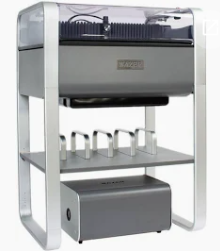
Confirmed scope
The confirmed WAZER compatibility is for Desktop. Support for other WAZER models is not claimed here.
Other manufacturer models and controllers are not specified on this page.
In TableCAD
Design the part, arrange it for the material, and prepare the cut plan on a Windows PC.
At the machine
Material setup, abrasive and pump readiness, and running the job are done on the machine with its own software and manual.
Preflight before you cut
- Confirm your exact model and controller with the manufacturer.
- Check part size and material against the machine's working area.
- Review cut order, lead-ins, and kerf-sensitive features on screen.
- Keep the manufacturer's manual open for machine-side steps.
Tiers
Tier note: Pro adds multiple layers. Extreme includes all Pro features plus image tracing, pack parts, split onto table-sized sheets, maximize shared cut lines, inline shapes, area shapes. Ultimate includes all Extreme features plus version control for work files. See pricing.
TableCAD is independent software and is not affiliated with or endorsed by any waterjet manufacturer. The confirmed manufacturer and model scope is stated on each dedicated page.